Is Self-Hosting Sunshine and Moonlight Worth the Time?
Is self-hosting Sunshine and Moonlight worth it? For a lot of people, yes — right up until your ISP hands out a new IP address, or you build Sunshine yourself and forget the GPU driver has its own rules. Sunshine and Moonlight together are a genuinely good way to stream a gaming PC to another room or another city, and neither one costs a cent. What the download page doesn't show you is the hour you'll spend the first time you forward ports, the PIN you'll re-enter on every new device, and the small pile of maintenance jobs that show up months after you thought setup was done. I've put this stack together more than once, so let's walk through where the time actually goes before you call it a weekend project.
What does the first Sunshine and Moonlight setup actually take?
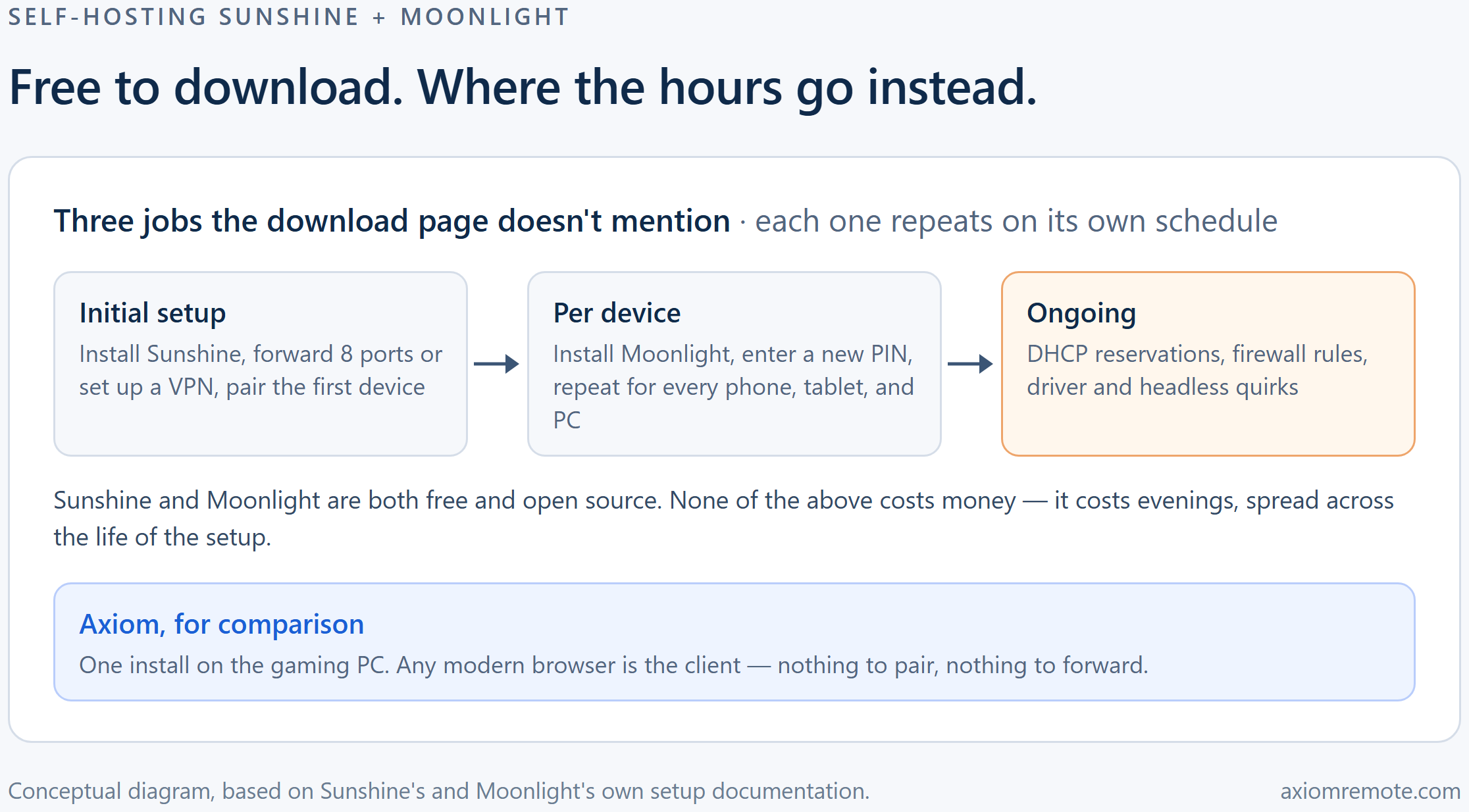
Installing Sunshine itself is the easy part. LizardByte ships prebuilt binaries for Windows, Linux, macOS, and FreeBSD, and the recommended path is to grab one of those rather than a third-party package, which gets no support if something goes wrong. Once it's running, you open its web UI at https://localhost:47990, and pairing a Moonlight client means logging in there, opening the PIN tab, and entering the PIN Moonlight shows you along with a name for the device. That part takes minutes, not hours.
The part that eats an evening is getting to your PC from outside your own network. Moonlight's setup guide lays out three routes: forward TCP ports 47984, 47989, and 48010 plus UDP ports 47998, 47999, 48000, 48002, and 48010 to the gaming PC; turn on Sunshine's built-in UPnP option and let a compatible router open them for you; or skip the router entirely and put both devices on a VPN such as Tailscale or ZeroTier. All three work. None of them are a five-minute job the first time, especially if your router buries UPnP in a menu you've never opened or your ISP's box doesn't support it at all.
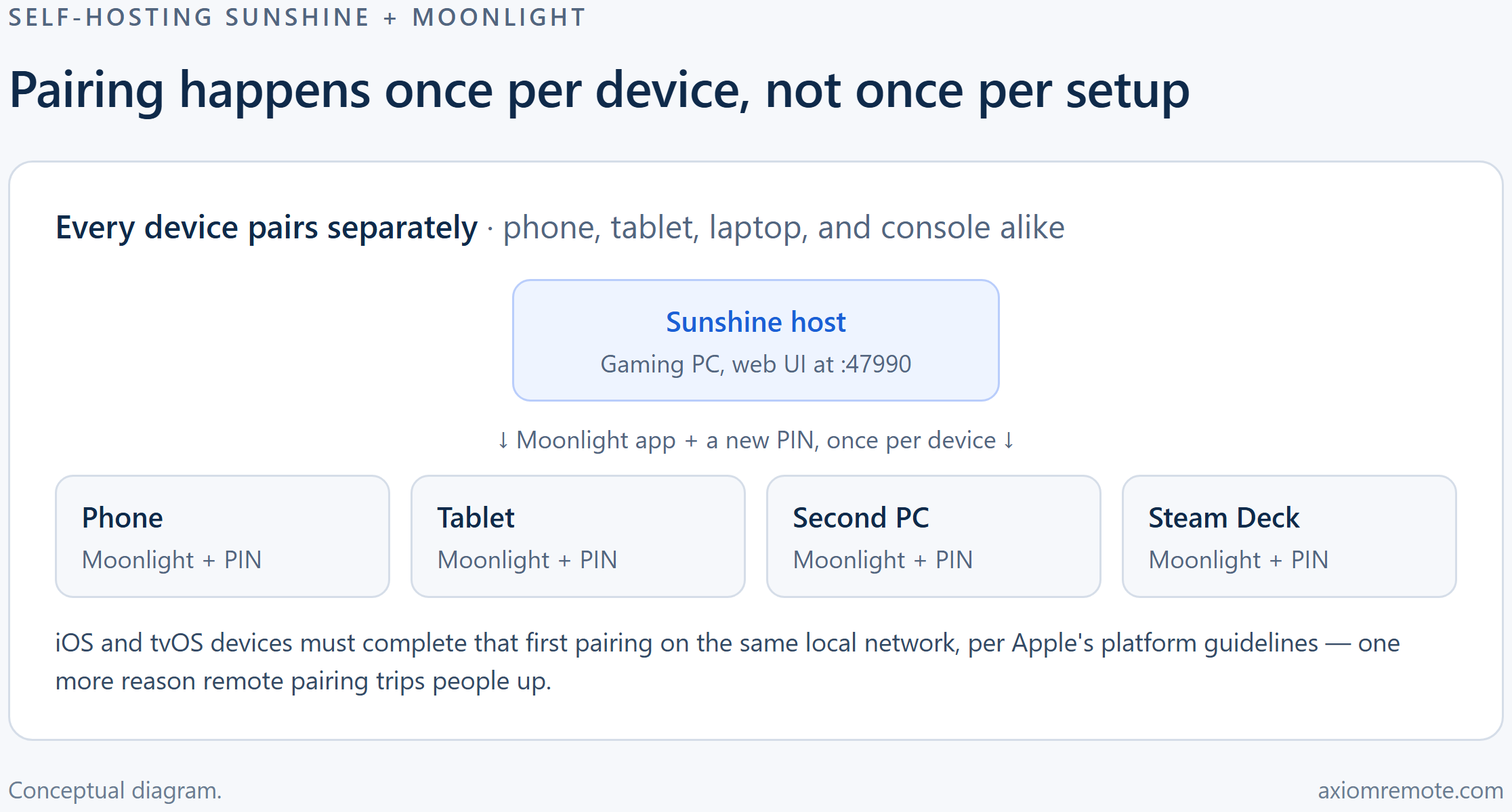
Moonlight's own documentation also tells you to pair locally first, on the same Wi-Fi as the host, before trying a remote connection — and for iOS and tvOS specifically, that first local pairing isn't optional, it's required by Apple's platform guidelines. Get the port-forwarding step wrong and canyouseeme.org will tell you, which is at least a fast way to find out, and it's part of why we've written separately about what port forwarding actually opens up on your router.
Add it up and a comfortable-with-router-admin-pages setup is a couple of focused hours. Someone who's never forwarded a port before, or whose ISP router hides the settings, can lose most of a weekend to this step alone — before a single game has streamed anywhere.
What keeps breaking after the first stream?
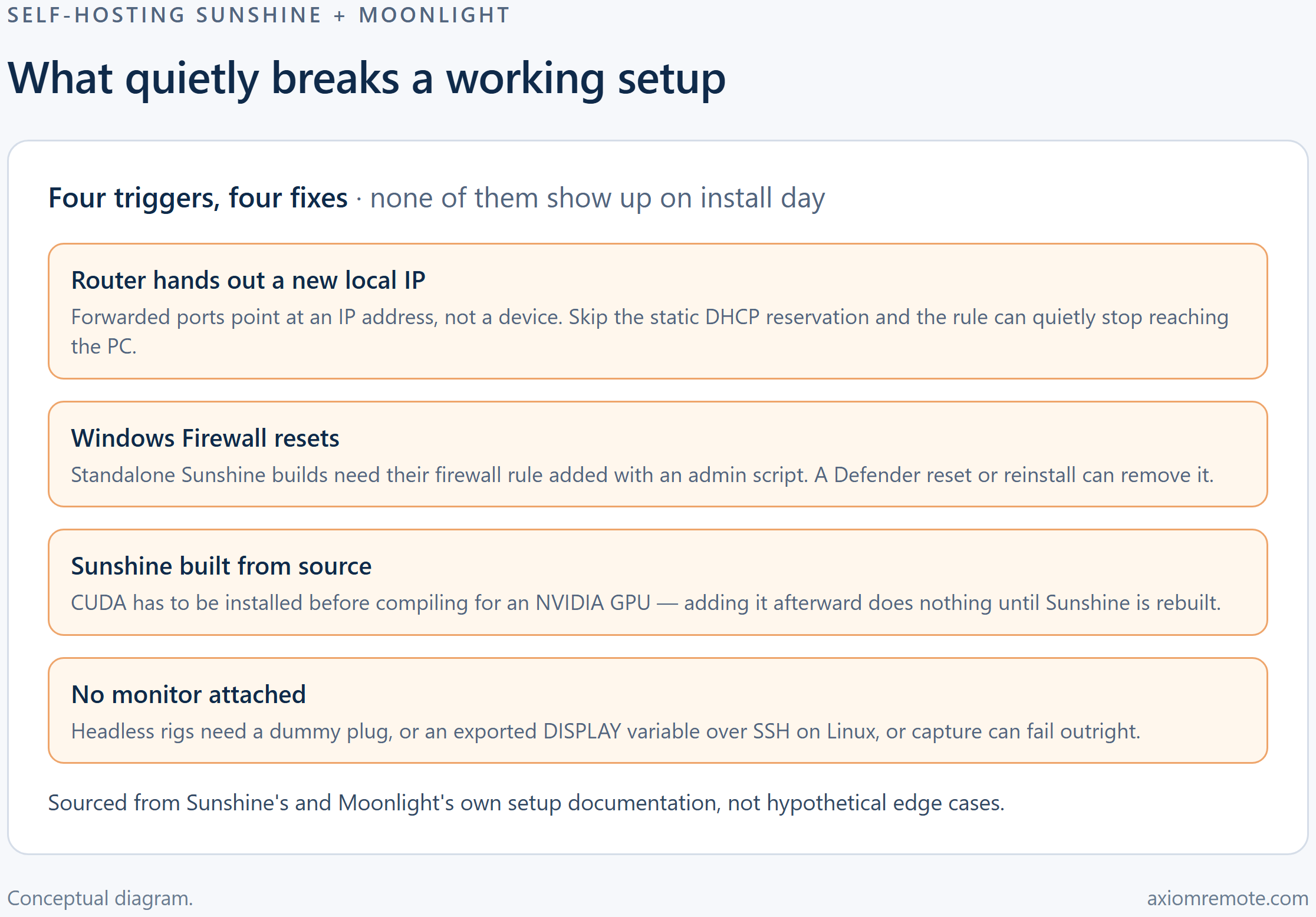
The most common failure has nothing to do with Sunshine or Moonlight themselves. Forwarded ports point at an IP address, not a device, and most home routers hand out a new local IP periodically unless you tell them not to. Moonlight's setup guide specifically recommends a static DHCP reservation for the host PC for exactly this reason — skip it, and a rule that worked last month can quietly stop reaching the PC with no obvious error message.
GPU handling mostly stays out of your way. Prebuilt Sunshine packages already include CUDA support and pick NVENC, AMD AMF, or Quick Sync automatically, in that order, when more than one is available. The trap shows up if you ever build Sunshine yourself, say to chase a beta feature or run it on a distro that only ships from source: CUDA has to be installed before you compile, because adding it afterward does nothing until Sunshine is rebuilt from scratch. It's a documented gotcha, not a rumor, and it costs a rebuild if you hit it.
Two smaller ones round it out. The standalone (non-installer) Windows build needs its firewall rule added by hand, running scripts/add-firewall-rule.bat as administrator — a step that's easy to skip once and just as easy to lose after a Defender reset. And headless rigs, the kind with no monitor plugged in, need a dummy plug or, on Linux over SSH, an exported DISPLAY variable, or capture fails outright. None of these are dealbreakers. They're just the kind of thing nobody mentions until the stream that worked yesterday doesn't work today.
How much of the setup do you repeat for every device?
Pairing in Sunshine is per Moonlight client, not per person. Your phone, your tablet, a second PC, a Steam Deck — each one gets its own trip through the web UI's PIN tab, and each one needs Moonlight installed first. If you're the family's designated tech support, that's not one setup, it's one setup per relative's device, repeated whenever someone gets a new phone.
It's also the specific tradeoff a fully managed approach is built to remove. Axiom, for comparison, installs once on the Windows gaming PC and hands it a short numeric ID; from there, any modern browser is the client, so there's no separate app to install or PIN to re-enter on every device you play from — the sort of thing our Moonlight alternative comparison covers in more detail if you want the fuller picture, including where Moonlight still wins on things like controller support and 4K streaming.
What does self-hosting cost in money, not just time?
Sunshine and Moonlight are both free and open source under the GPLv3 license, and that part of the pitch is entirely true — there's no license fee waiting for you down the line. The money costs, when they show up, are optional and usually small. If your home IP changes and you don't want to keep updating a forwarding rule by hand, a dynamic DNS service handles that, and several have free tiers. If you'd rather skip port forwarding altogether, Tailscale and ZeroTier both offer free tiers too, and Moonlight's setup guide lists both as alternatives.
Worth knowing before you lean on the VPN route for something as data-heavy as game streaming: Tailscale's own guidance notes that its shared relay servers are rate-limited, since they're shared with other users on the free tier. That's fine for occasional use and worth checking if streaming feels throttled on a network where Tailscale can't make a direct connection.
So is self-hosting Sunshine and Moonlight worth it?
If you already run a home lab, don't mind the occasional troubleshooting session, and mostly play from devices you control, yes, genuinely. Nothing above is a dealbreaker — it's just an honest map of when the hours show up, so you're not surprised by them six months in.
Where it gets harder to justify is setting this up for someone who won't debug a DHCP reservation, or wanting each new device to just work without another PIN. That ongoing tax is the real reason people go looking for a managed alternative, Axiom included. Axiom is still invite-only early access, and it's a Windows-only host, so it's not a drop-in replacement for everyone reading this — but if the maintenance list above sounds like a chore rather than a hobby, it's worth a look.
Common questions
Is Sunshine free to self-host?
Yes. Sunshine and Moonlight are open source under the GPLv3 license and cost nothing to download or run. The optional extras some people add are a dynamic DNS service, in case your home IP address changes, or a VPN tool like Tailscale or ZeroTier if they'd rather not forward ports at all.
Does Sunshine need a specific graphics card?
No single card is required. Sunshine's setup automatically detects NVIDIA NVENC, AMD AMF, or Intel Quick Sync and falls back to software encoding when none of those are available, picking in that order when more than one is present on the system.
Can I stream to my phone or Steam Deck without forwarding ports?
Yes. Moonlight's own setup guide lists Sunshine's built-in UPnP option and VPN tools like Tailscale or ZeroTier as alternatives to manual port forwarding. Managed options like Axiom exist too, for people who'd rather not run any of it themselves — Axiom is a Windows-only host and is currently invite-only early access.
Axiom
Skip the maintenance tax on game streaming
Axiom installs once on the Windows gaming PC, and any modern browser is the client — no port forwarding, no per-device pairing, no DHCP reservations to remember. It's in invite-only early access; join the waitlist if you'd rather spend the evening playing.